Loading...
Searching...
No Matches
org.wpilib.util.Alert Class Reference
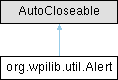
Inheritance diagram for org.wpilib.util.Alert:
Classes | |
| enum | Level |
Public Member Functions | |
| Alert (String id, String text, Level level) | |
| Alert (String group, String id, String text, Level level) | |
| void | set (boolean active) |
| boolean | get () |
| void | setText (String text) |
| String | getText () |
| Level | getLevel () |
| void | close () |
Detailed Description
Persistent alert. Alerts are tagged with a type of HIGH, MEDIUM, or LOW to denote urgency. See Level for suggested usage of each type. Alerts can be displayed on supported dashboards, and are shown in a priority order based on type and recency of activation, with newly activated alerts first.
Alerts should be created once and stored persistently, then updated to "active" or "inactive" as necessary. set(boolean) can be safely called periodically.
class Robot {
  Alert alert = new Alert("somethingWrong", "Something went wrong", Alert.Level.MEDIUM);

  periodic() {
    alert.set(...);
  }
}
Alternatively, alerts which are only used once at startup can be created and activated inline.
public Robot() {
  new Alert("autoPathsFailed", "Failed to load auto paths", Alert.Level.HIGH).set(true);
}
Definition at line 34 of file Alert.java.
Constructor & Destructor Documentation
◆ Alert() [1/2]
| org.wpilib.util.Alert.Alert | ( | String | id, |
| String | text, | ||
| Level | level ) |
Creates a new alert in the default group - "Alerts".
- Parameters
-
id Alert identifier. This should be unique within the group. text Text to be displayed when the alert is active. level Alert urgency level.
Definition at line 83 of file Alert.java.
◆ Alert() [2/2]
| org.wpilib.util.Alert.Alert | ( | String | group, |
| String | id, | ||
| String | text, | ||
| Level | level ) |
Creates a new alert.
- Parameters
-
group Group identifier. id Alert identifier. This should be unique within the group. text Text to be displayed when the alert is active. level Alert urgency level.
Definition at line 95 of file Alert.java.
Member Function Documentation
◆ close()
| void org.wpilib.util.Alert.close | ( | ) |
Definition at line 148 of file Alert.java.
◆ get()
| boolean org.wpilib.util.Alert.get | ( | ) |
Gets whether the alert is active.
- Returns
- whether the alert is active.
Definition at line 115 of file Alert.java.
◆ getLevel()
| Level org.wpilib.util.Alert.getLevel | ( | ) |
◆ getText()
| String org.wpilib.util.Alert.getText | ( | ) |
◆ set()
| void org.wpilib.util.Alert.set | ( | boolean | active | ) |
Sets whether the alert should currently be displayed. This method can be safely called periodically.
- Parameters
-
active Whether to display the alert.
Definition at line 106 of file Alert.java.
◆ setText()
| void org.wpilib.util.Alert.setText | ( | String | text | ) |
Updates current alert text. Use this method to dynamically change the displayed alert, such as including more details about the detected problem.
- Parameters
-
text Text to be displayed when the alert is active.
Definition at line 125 of file Alert.java.
The documentation for this class was generated from the following file:
- org/wpilib/util/Alert.java
